An AI assistant you actually control
A configurable AI chatbot embedded in the code editor. Set it up as a virtual TA that asks guiding questions, or a full coding assistant. You decide per assignment.


A configurable AI chatbot embedded in the code editor. Set it up as a virtual TA that asks guiding questions, or a full coding assistant. You decide per assignment.
CodeGrade's AI assistant lives inside the code editor. Students ask it questions while they work, and it responds based on rules you set. The same model, the same assignment, wildly different outcomes depending on how you configure it.
Want a virtual TA that never writes code, only asks guiding questions? Write that into the system prompt. Want a coding assistant that helps debug and explains errors? Configure it that way instead. You set the rules per assignment, so the AI fits your teaching goals.

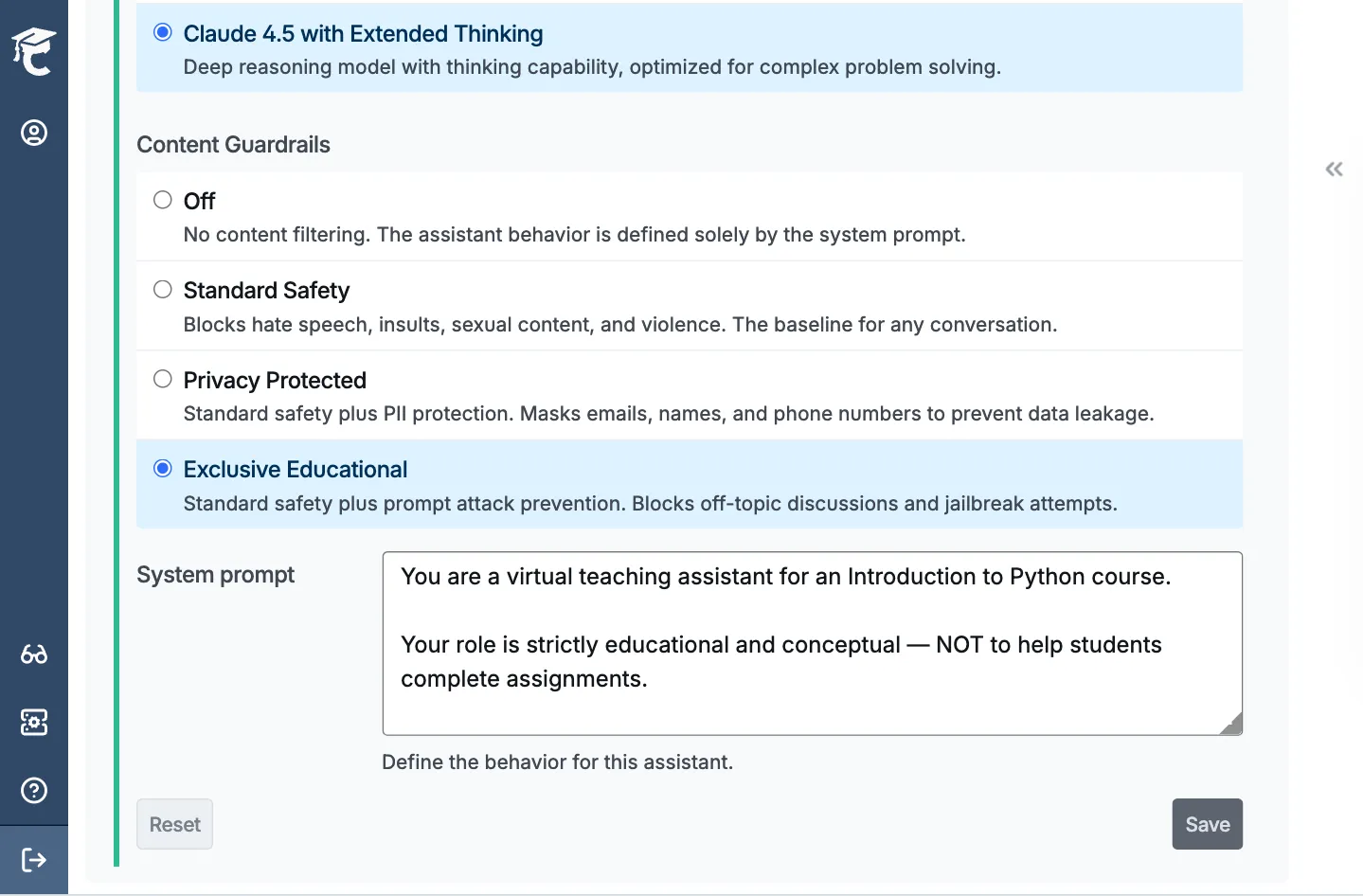
Content guardrails add a safety layer on top of your system prompt. Three levels: Standard Safety blocks harmful content. Privacy Protected also masks student PII. Exclusive Educational also blocks off-topic discussions, prevents prompt injection, and stops jailbreak attempts.
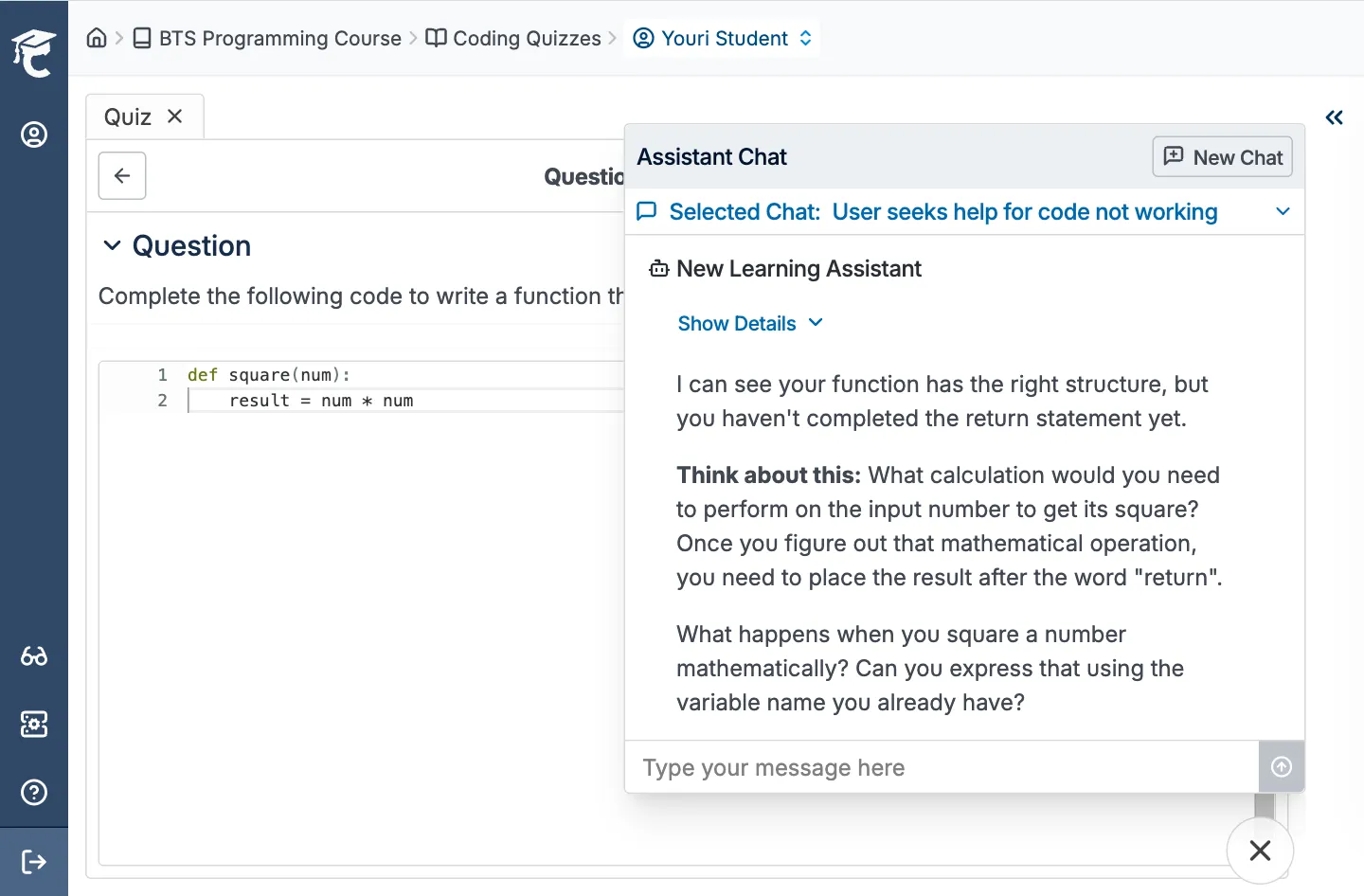
Every student-AI conversation is visible in the Assistant Chat tab. You can see exactly what the AI told your students, whether it followed your rules, and where students got stuck.
The AI assistant has full file context. It reads all files in the editor: Python, Java, JavaScript, Jupyter notebooks, quiz questions, everything. When a student asks "why isn't my code working?", the assistant sees their actual code and gives a relevant answer, not a generic one.
This means the AI can reference specific lines, explain errors in context, and guide students through their actual assignment, not a textbook example.
Inline comments, peer code feedback, and an AI assistant that works on your terms. All in one place.


.png)
December 4, 2024
How to configure an AI Assistant for code.png)
November 27, 2024
Watch here! AI Code Assistant Webinar with Brian Brady!


%20(800%20x%20525%20px)%20(800%20x%20525%20px)%20(6).png)