The online code learning environment you can trust.

Autograder, IDE, and AI assistant in one environment, inside Canvas, Blackboard, Moodle, or Brightspace. Students write and run real code, get instant feedback, and use AI on your terms. And you see all of it.

Free for up to 50 students. No credit card.
hero-card-imagehero-card-image

Trusted by 100+ institutions

The University of Edinburgh logo
University of Amsterdam logo
Erasmus University Rotterdam Logo
The University of Edinburgh logo
ILERNA Online logo
The University of Edinburgh logo
ILERNA Online logo
The University of Edinburgh logo
ILERNA Online logo
Vrije Universiteit Amsterdam logo
The University of Edinburgh logo
Autograder

Grading hours become teaching hours

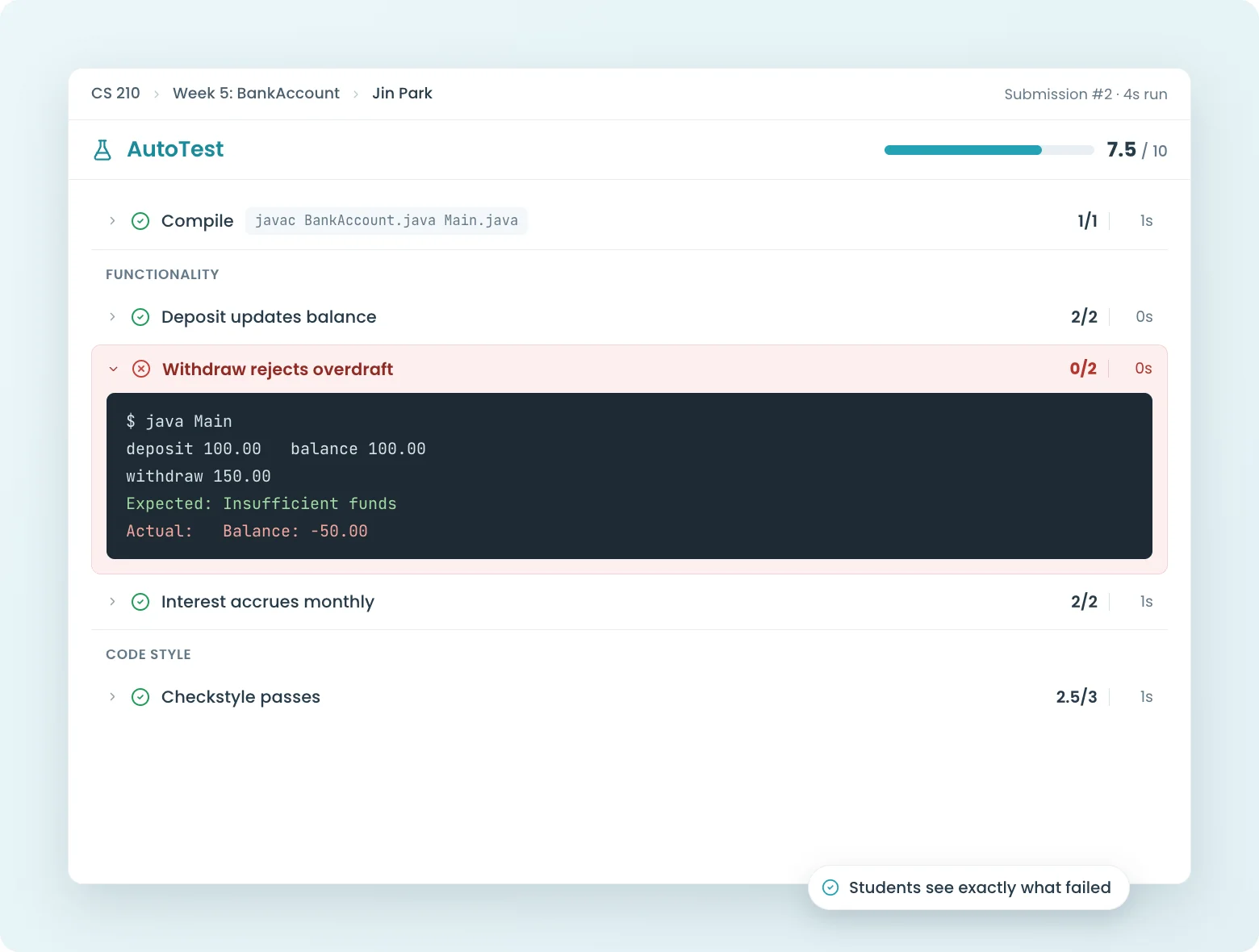
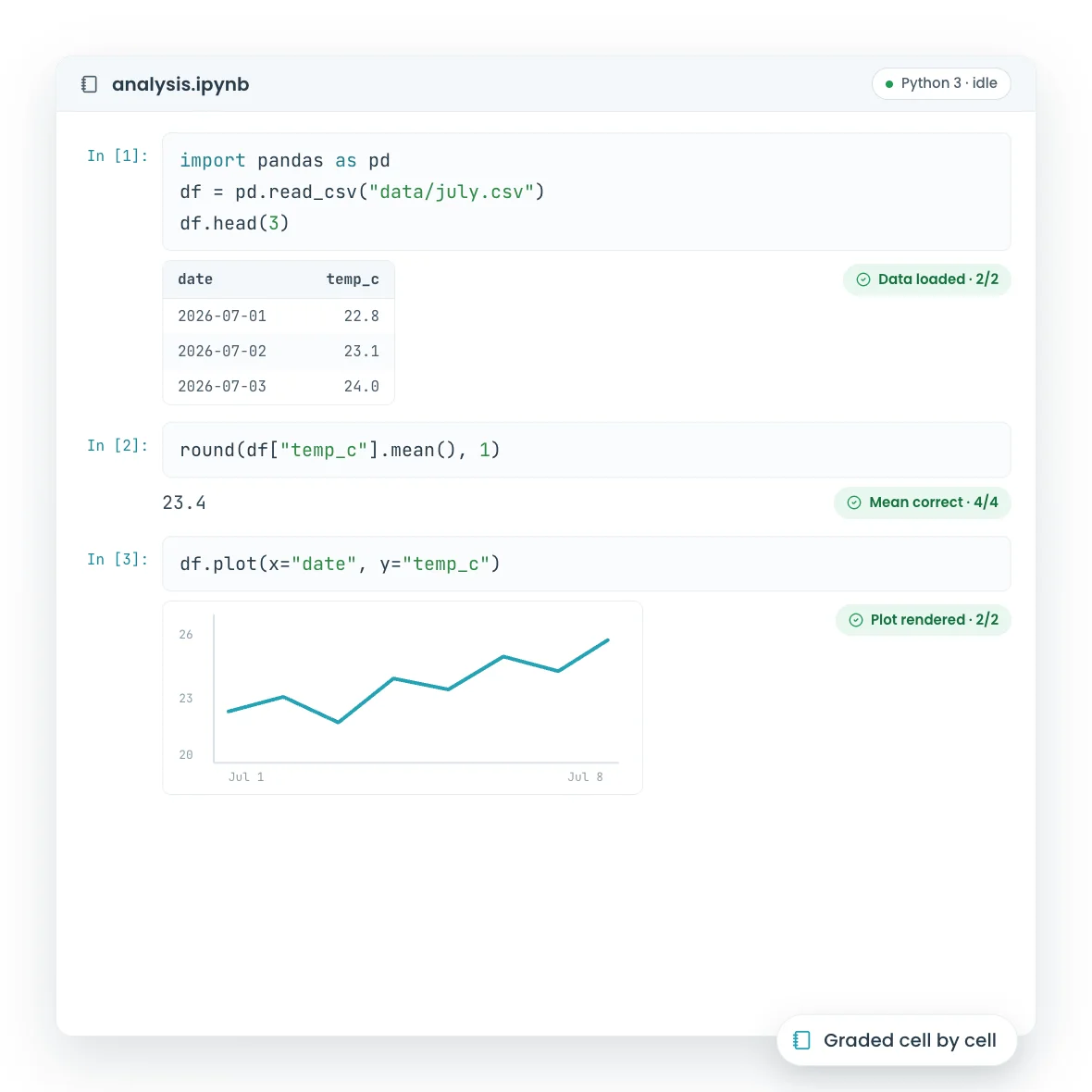
The autograder responds the moment students press the button, while the code is still in their head. You grade the judgment calls with rubrics and inline comments; the machine grades the rest, across 175+ languages. Fewer TA hours, same course.

  • Instant feedback on every submission, resubmissions until the deadline
  • Build the first autograder in less than an hour with the block-based test builder
  • Free for up to 50 students, forever
Learn more
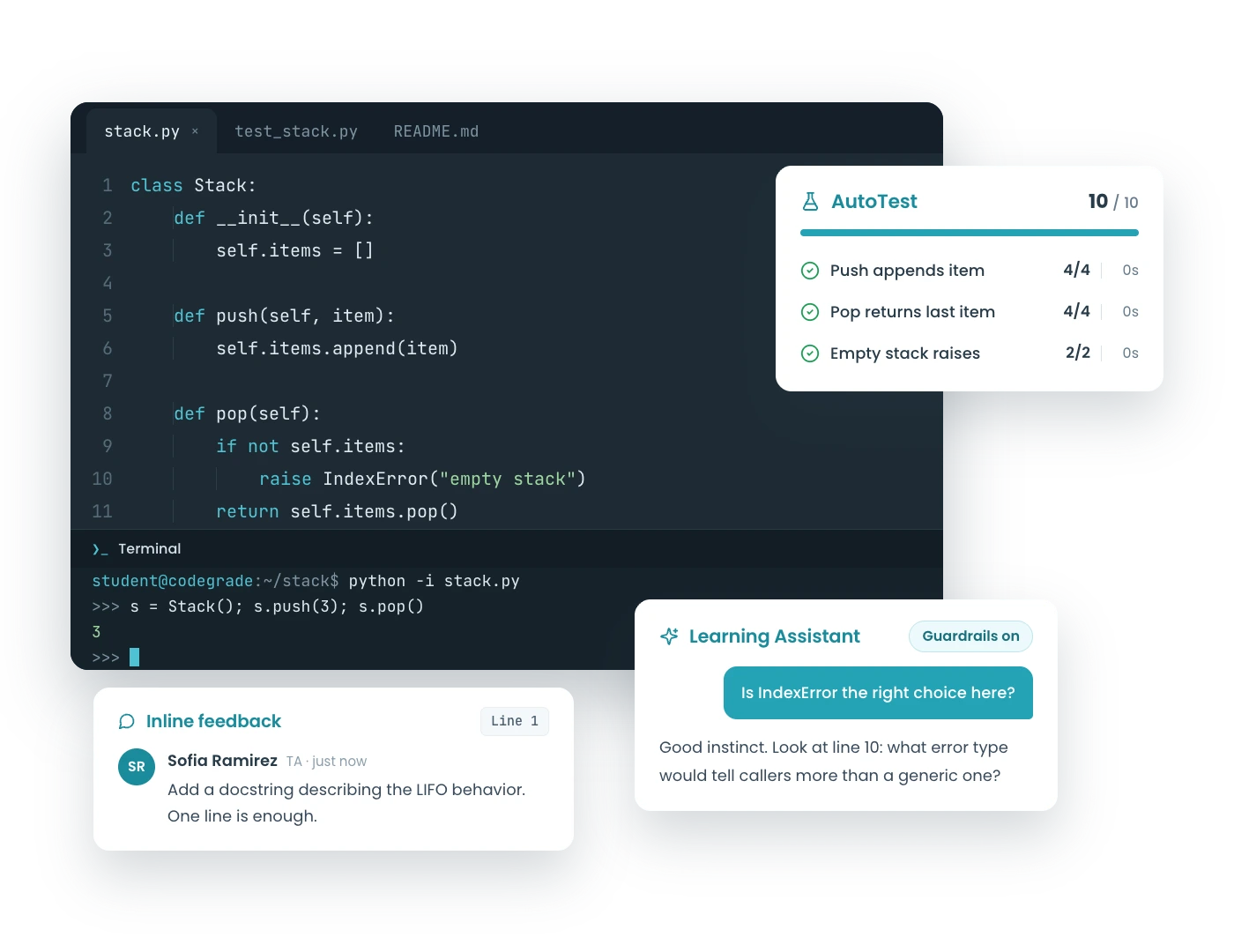
CodeGrade AutoTest results with compile, IO, and structure checks graded instantly.
The Environment

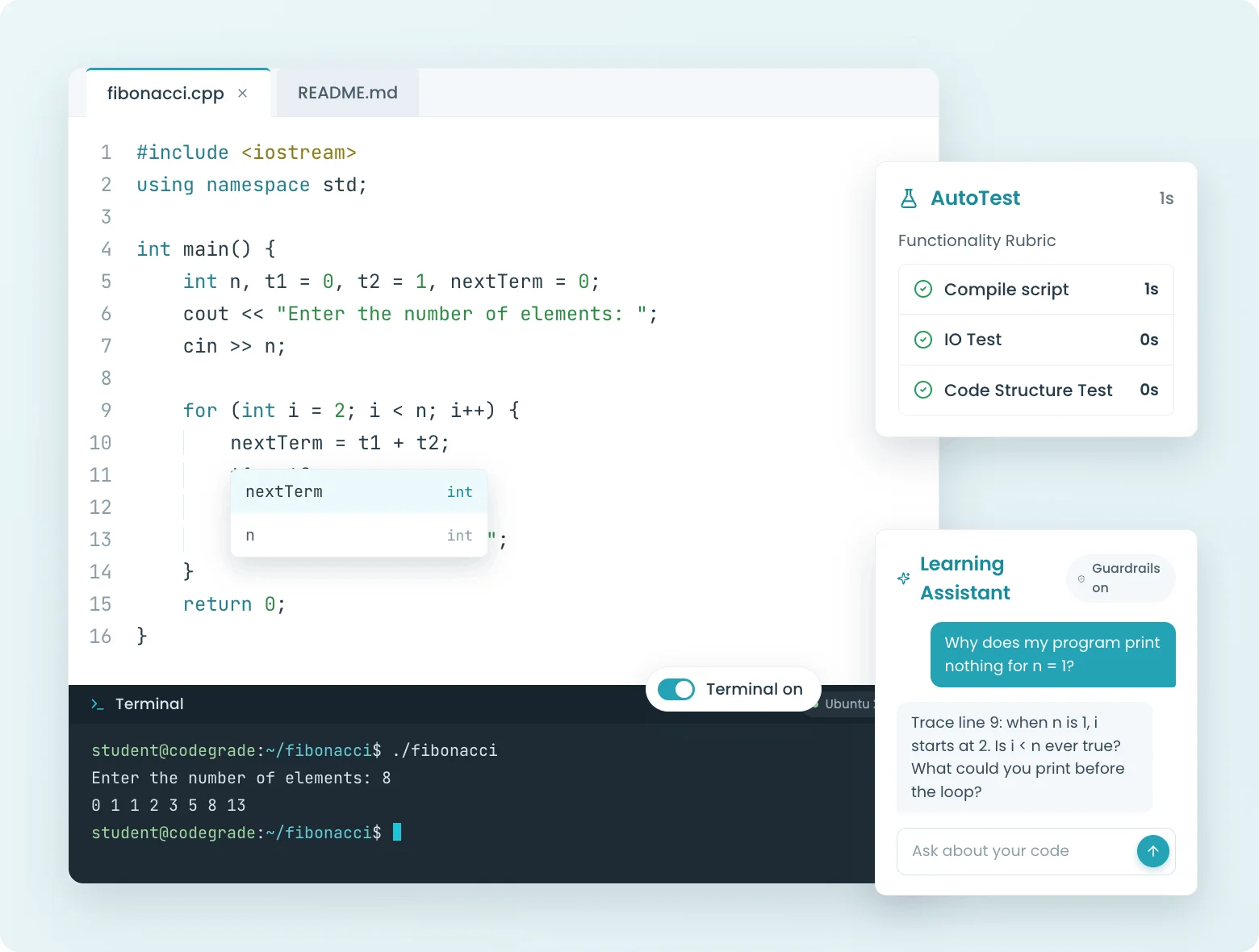
Every student lands in the same environment: editor, terminal, and feedback on one screen

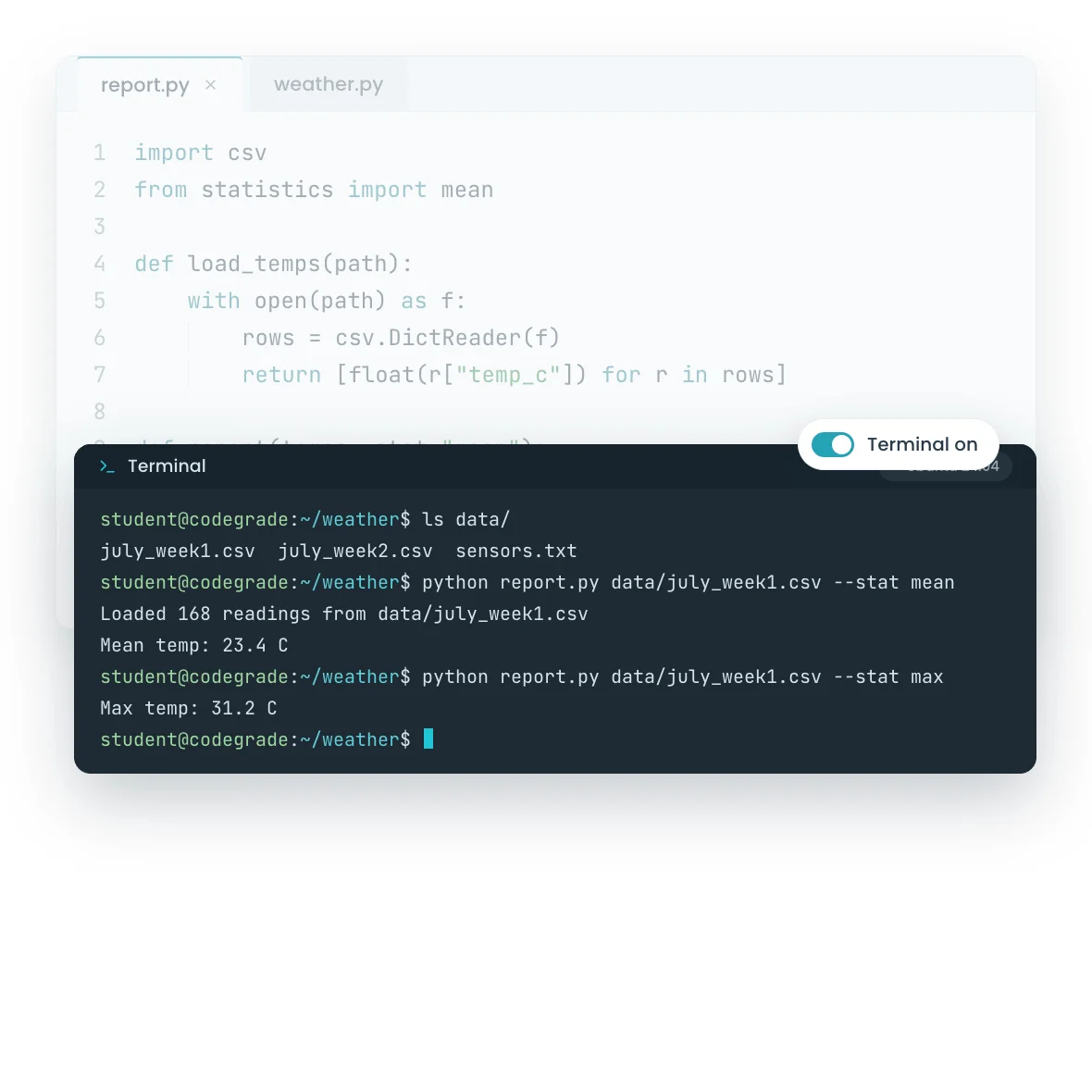
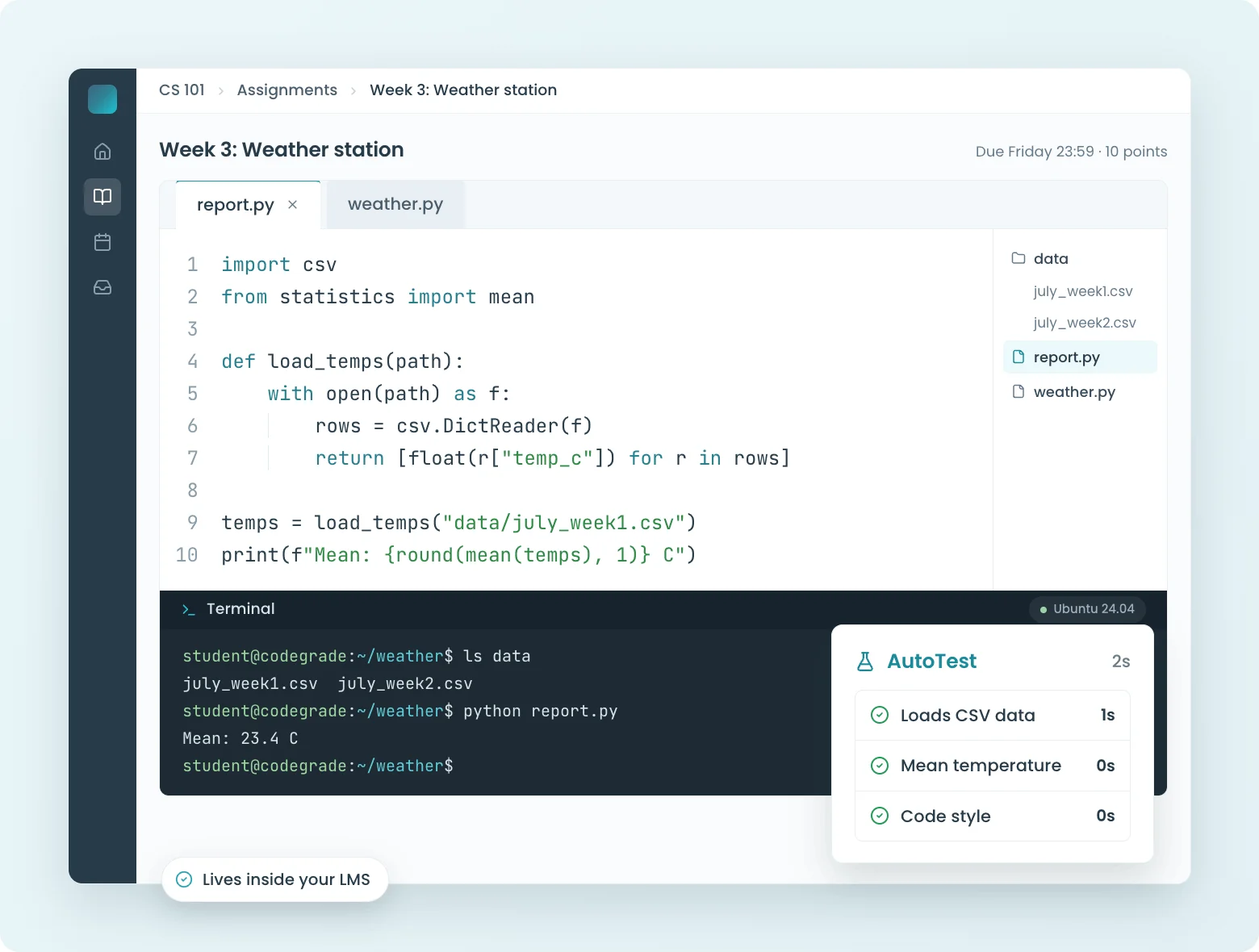
One controlled environment for every student. No installs. Students open the assignment, write code in a real editor, run it in a real Ubuntu terminal, and get line-by-line feedback the moment they want it. Same tools, same versions, same rules; nobody's laptop decides what they learn.

  • Browser editor with autocomplete, files, and 175+ languages, zero setup for students
  • Interactive terminal in a real Ubuntu environment, switched on or off per assignment
  • Coding quizzes, assignments, and secured exams: every stakes level, one place
Learn more
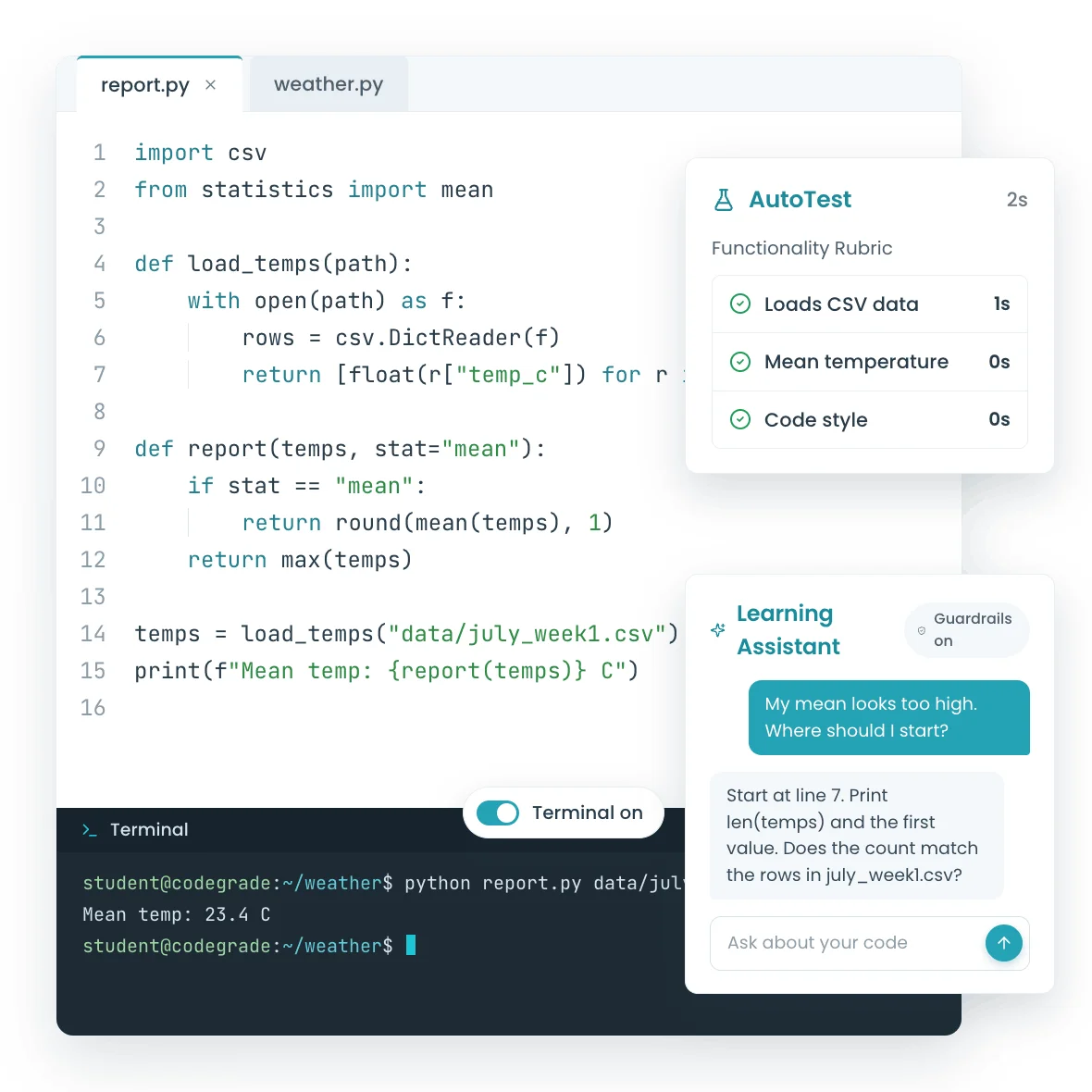
CodeGrade's learning environment: C++ editor with autocomplete, interactive terminal, AutoTest results, and Learning Assistant.
AI Assistant

AI guidance, on your terms.

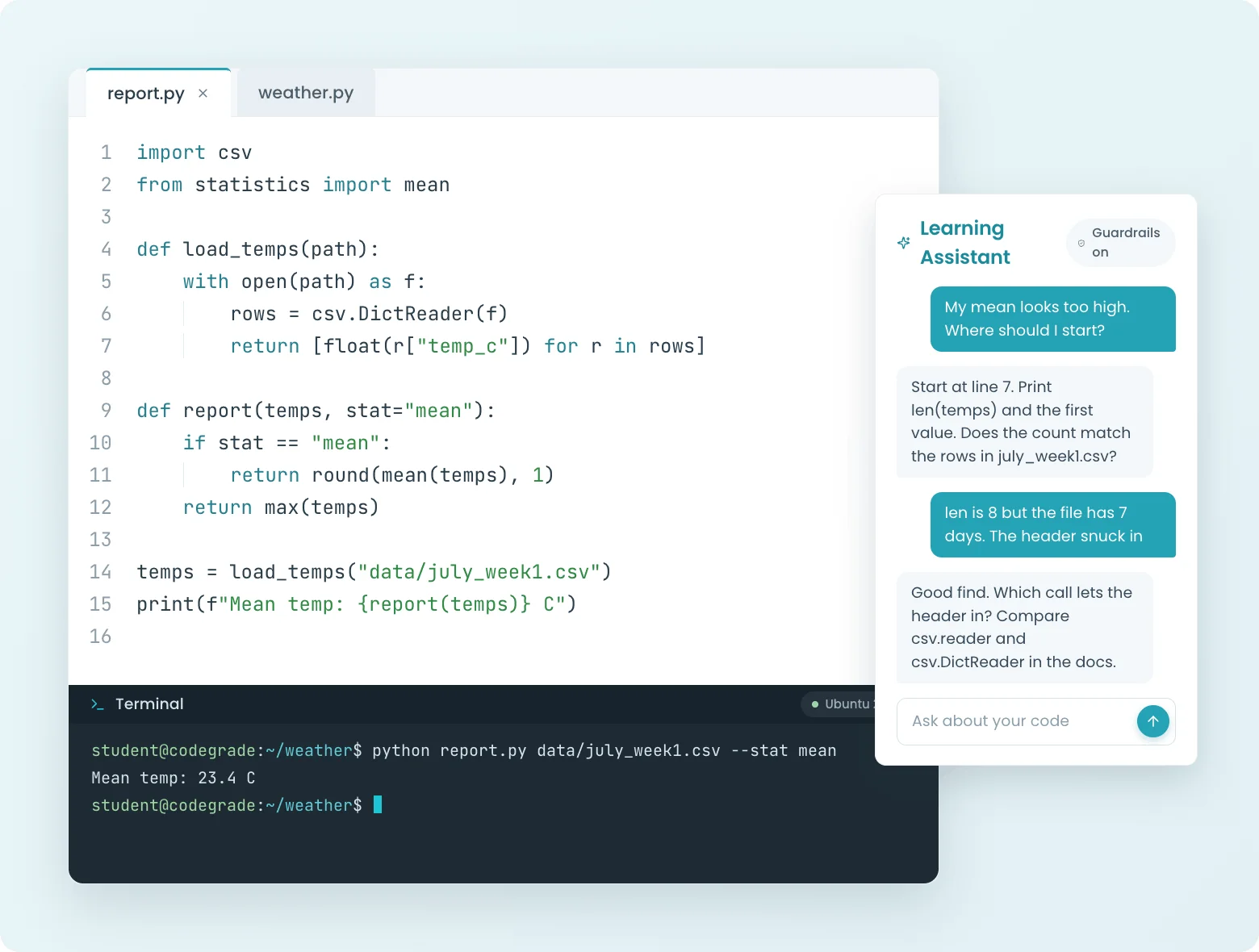
Your students are already using AI; the only question is whether you can see it. CodeGrade's assistant follows rules you set per assignment, from strict tutor to coding help, and every conversation is visible to you. Help-seeking stays inside your course.

  • Customize AI behavior per assignment (hints only, conceptual only, full help)
  • Full conversation logs visible to instructors
  • Set it up as a virtual Teaching Assistant to give your students 24/7 help
Learn more
Student asking CodeGrade's Learning Assistant for guidance, with guardrails on and the conversation visible to the instructor.

How institutions run CodeGrade

Author Image

Alex St. Aubin

Instructor Computer Science at the University of Nevada, Las Vegas

“CodeGrade has really made our lives easier. The lives of the TAs, the students, the teachers. It has really helped our Computer Science Department out a lot.”

Author Image

Leslie Hendrix

Clinical Professor in Management Science

"Coding is like learning a sport. You have to practice repeatedly to improve."

Author Image

Leslie Hendrix

Clinical Professor in Management Science

“I am prioritizing AI fluency in class so my students will have the proper framework to interact with the emerging AI tools that are currently reshaping modern industry workflows.”

Author Image

Angela Venable

Assistant Professor, Ivy Tech Community college

“I also find students get more engaged when they get quicker feedback.”

Author Image

Jamie Andrews

Director of Graduate Programs

I can see the student submissions and slowly watch their scores creep up, which is incredibly rewarding!

Inline Feedback

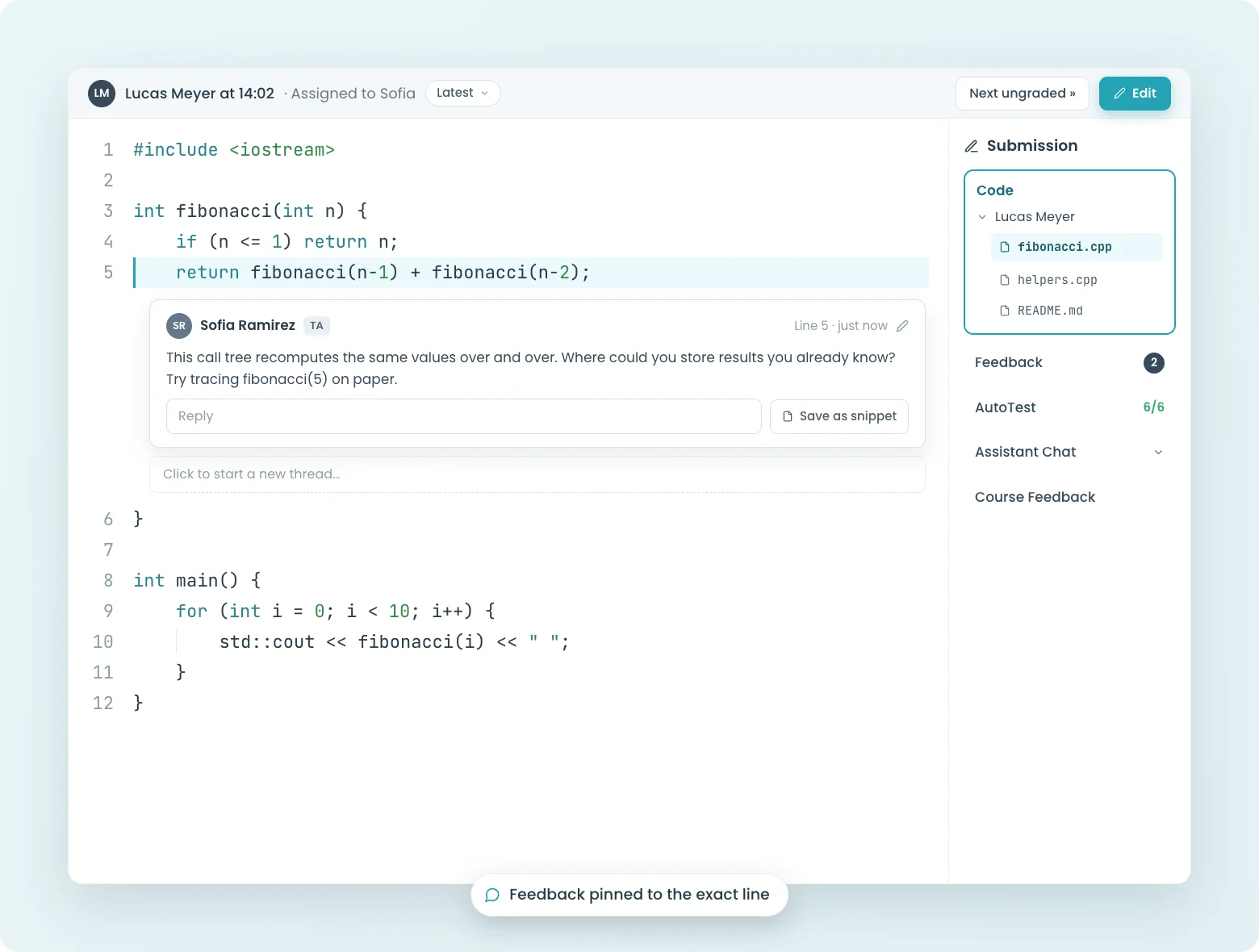
Leave feedback exactly where the bug is.

Click on a line of code, type your comment, done. Students see your feedback pinned to the exact line that needs fixing, not buried in a separate rubric or email. Save time with reusable snippets for comments you leave every semester.

  • Inline comments attached to specific lines of code
  • Reusable feedback snippets for repeated issues
  • Structured peer review workflows
  • Continuous feedback: students can resubmit and see updated comments
Learn more
Instructor comment pinned to a line of C++ code in CodeGrade's inline feedback view.
LMS Integration

Lives inside your LMS. Not next to it.

Students never leave Canvas, Blackboard, Moodle, or Brightspace. Assignments, submissions, grades, and feedback all live inside the LMS they already use. No separate logins, no switching tabs, no "where do I submit this?" emails.

  • Native LTI integration with Canvas, Blackboard, Moodle, and Brightspace
  • Single sign-on: students log in once through their LMS
  • Grades sync to your LMS gradebook the moment grading finishes
  • Full API for automating course setup and pulling analytics
Learn more
CodeGrade's coding environment embedded inside a Canvas assignment, with editor and terminal.
Support & Resources

Support from CS graduates who understand your course.

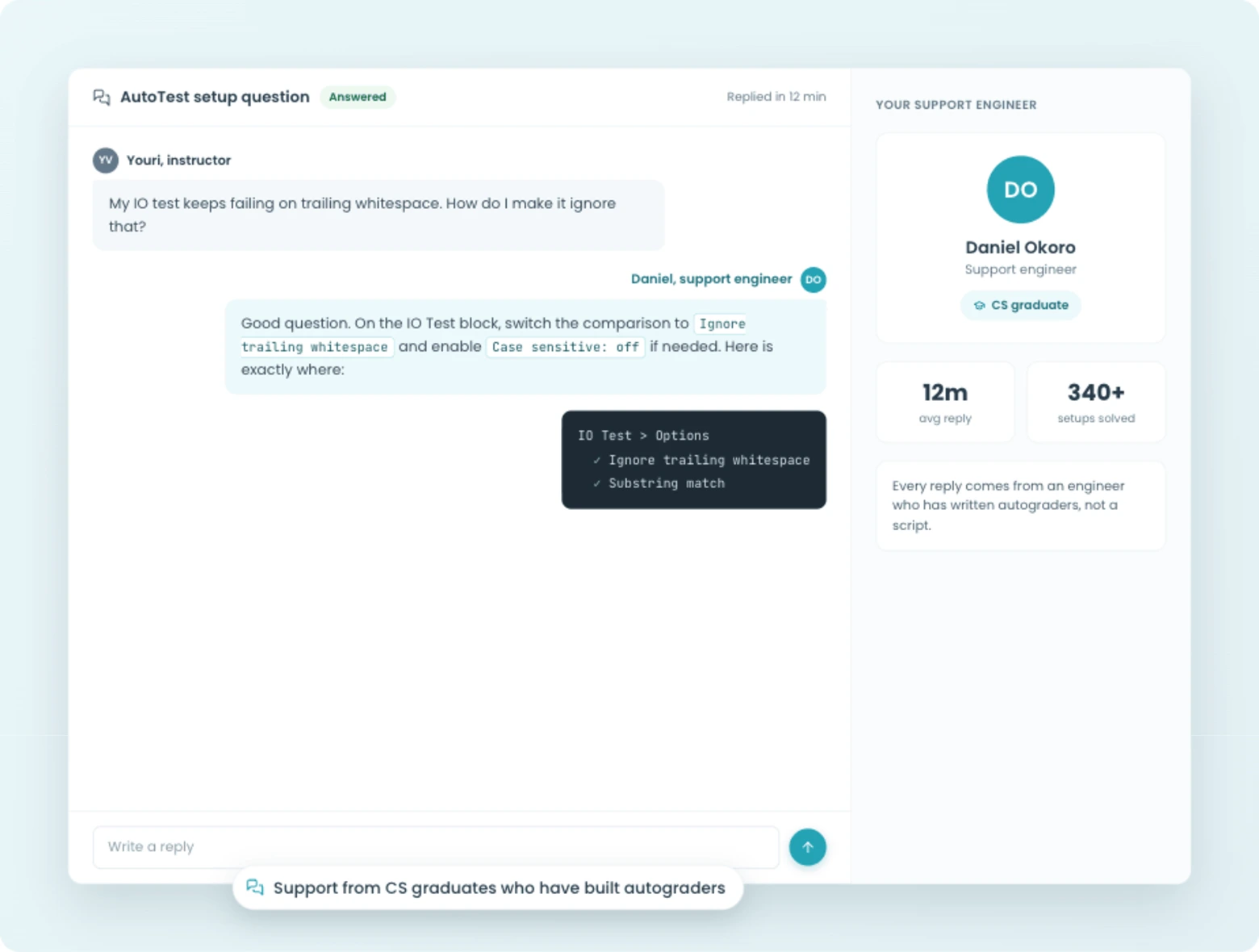
Stuck on a tricky test config? Our support team is made up of CS graduates who understand your course, not generic help desk agents reading from a script. They'll help you build test setups, troubleshoot edge cases, and get your course running.

  • Support from CS graduates who can help build your test configurations
  • Community Library with shared, peer-reviewed assignments
  • Pre-built Introduction to Python curriculum
  • Discord community where instructors share tips and best practices
Learn more
Support from CodeGrade's CS-graduate team, plus the community library and Discord.

How we can help your department

Blog Thumbnail
Computer Science
The Integrated Learning Environment for CS courses, from intro to advanced.
> Learn more
Blog Thumbnail
Data Science
Build real-world data skills and streamline feedback in one place.
> Learn more
Blog Thumbnail
Business Schools
Level the playing field with simple coding education for every business student.
> Learn more
Blog Thumbnail
Artificial Intelligence
Empower students to harness AI while you maintain oversight.
> Learn more

Join 100+ institutions

World-class institutions all over the world partner with CodeGrade to bring their programming education to the next level.

Integration Icon
Integration Icon
Integration Icon
Integration Icon
Integration Icon
Integration Icon
Integration Icon
Integration Icon
Integration Icon
Integration Icon
Integration Icon
Integration Icon
Integration Icon
Integration Icon
Integration Icon
ShadowShadow

Most Popular Features

Students at desk, symbolizing coding practice and quizzes.
Coding quizzes and questions
Multiple choice and code writing questions, graded automatically the moment students submit.
> Learn more
Computer screen with code, symbolizing Integrated Development Environment for programming.
The Environment
Browser editor, real Ubuntu terminal, instant feedback, and AI built for learning.
> Learn more
Open notebook with 'NB' label, representing coding notebooks for programming.
Jupyter Notebooks Integration
Keep your notebook workflow. Add grading that actually works.
> Learn more
AI speech bubbles, representing Large Language Models in coding and programming.
AI assistant
Configurable AI assistant with guardrails you set and every conversation visible to you.
> Learn more
Magnifying glass over a document, indicating inline code review in programming.
Inline code feedback
Line-by-line comments and reusable snippets for faster code review.
> Learn more
Puzzle pieces interlocking, indicating code integration in programming projects.
LMS integration
Native Canvas, Blackboard, Moodle, and Brightspace integration.
> Learn more
Symbol of balanced scales representing fair grading in coding and programming.
Code plagiarism checker
Detect code similarity within your class and across semesters.
> Learn more
Checklist with a hand writing, symbolizing manual input in programming tasks.
Manual grading
Assign graders, navigate submissions, and combine manual review with auto-grading.
> Learn more
Speech bubble with a gear, representing AI prompting in programming tasks.
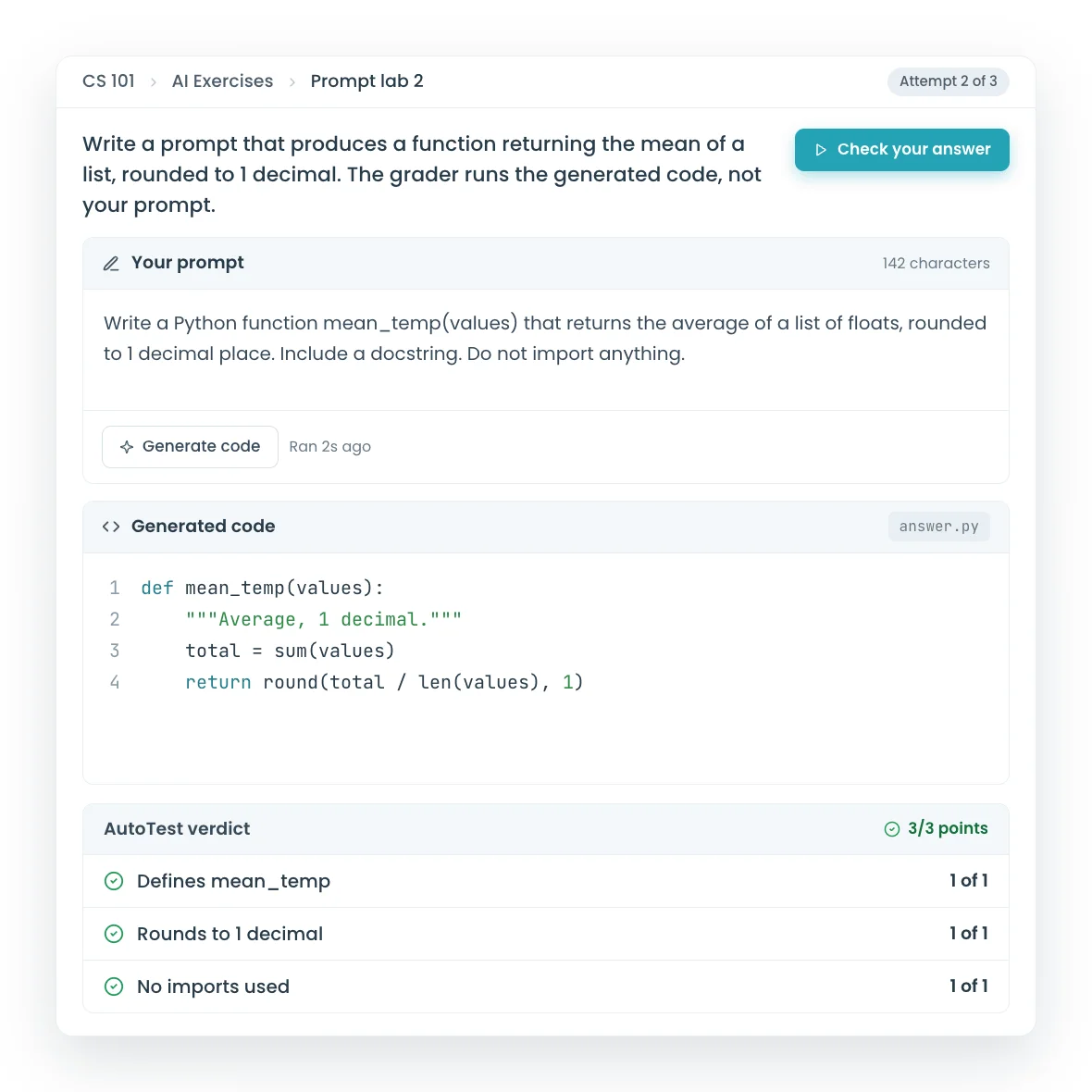
AI exercises
Auto-graded prompt exercises for any CS course.
> Learn more
Two assignments, Two peoTwo assignments  indicating programming community interaction.
Assignment library
100+ pre-built assignments with autograding included.
> Learn more
Group of people in speech bubbles, indicating peer feedback in coding and programming.
Peer code feedback
Graded peer feedback on real code submissions.
> Learn more
Code exam checklist with checkmarks, symbolizing programming assessment.
Code exams
Secure, auto-graded coding exams with IP restrictions and session lockdown.
> Learn more

Get started today and unlock the power of CodeGrade.