Give students more coding practice, without more grading

Auto-graded quizzes that students can check instantly, built in the same editor you already use.
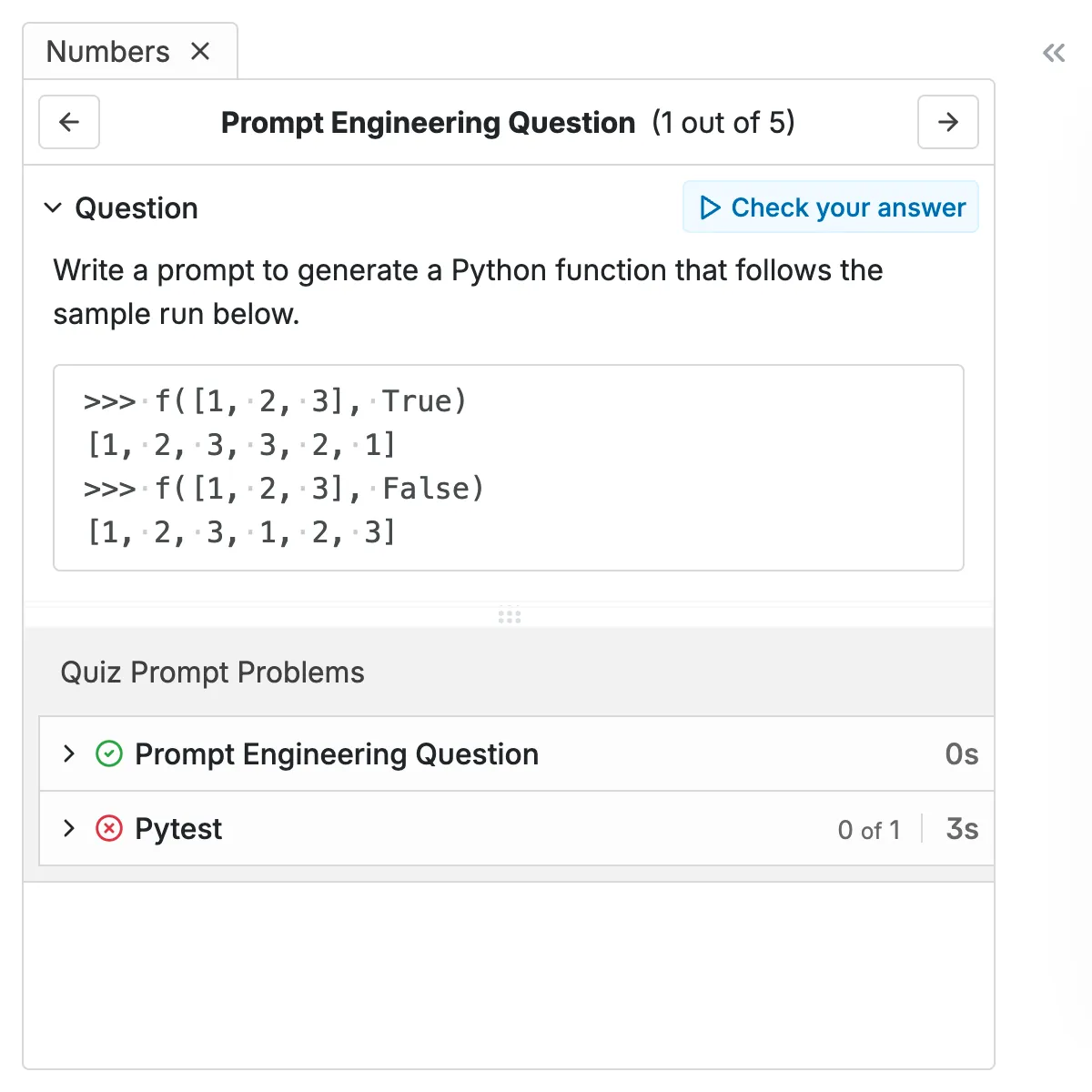
CodeGrade coding quiz prompt showing a multiple choice question with instant feedback.CodeGrade AutoTest results providing instant feedback for code submissions.

1. Question, editor, and results on one screen

Students see the question, write their answer or code directly below it, hit "check answer," and get results immediately. No file management, no submission flow, no waiting for grades. Everything happens on one screen.

Mix multiple choice questions with code writing challenges in a single quiz. Students get the practice reps they need, in an interface that makes it feel lightweight.

  • Multiple choice and code writing questions in one quiz
  • Students write and run code directly in the browser
  • Instant results the moment they hit "check answer"
Student receives positive instant feedback and a hint for a correctly answered question in a CodeGrade quiz.
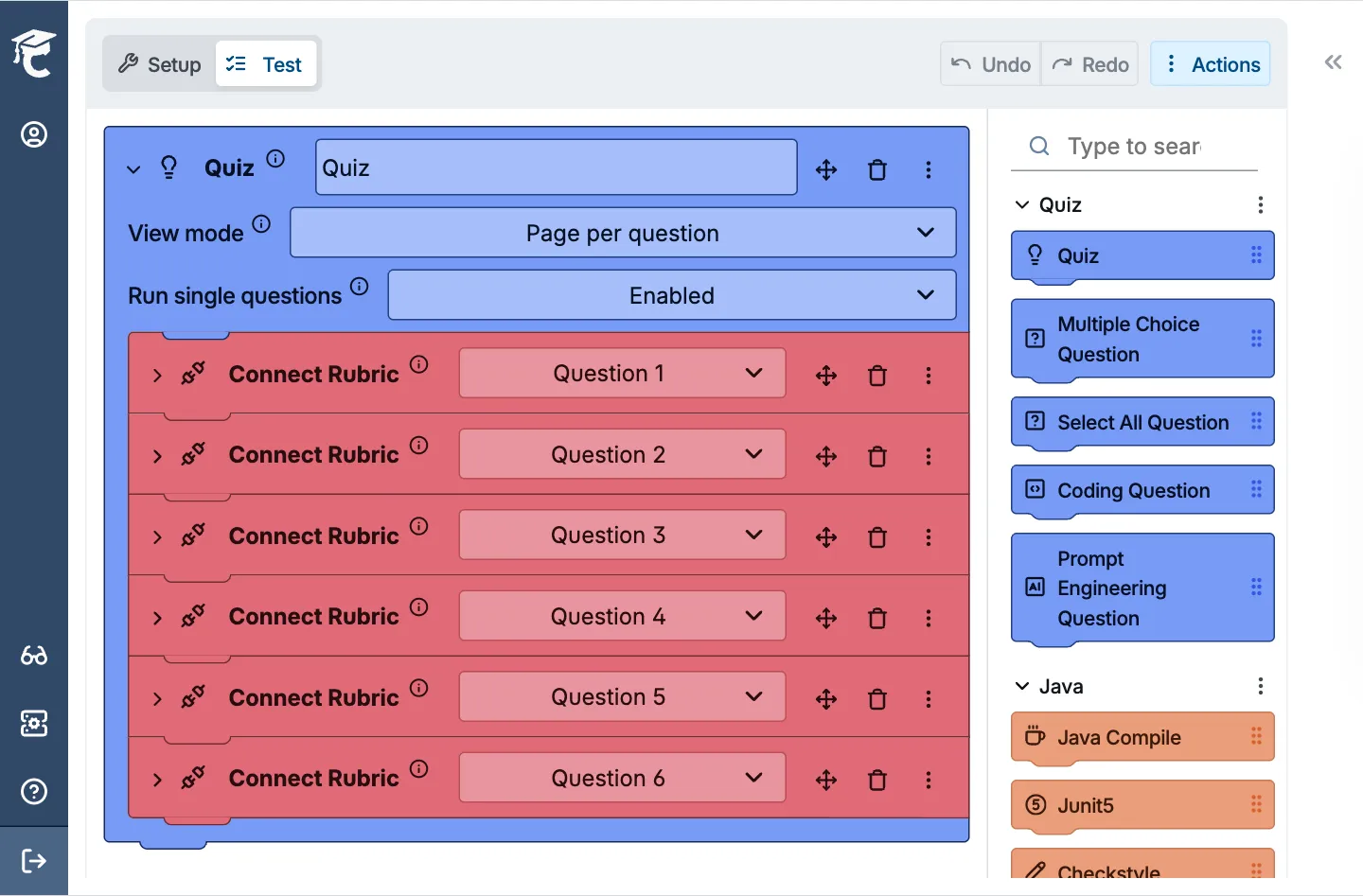
Setting up a coding quiz in CodeGrade's AutoTest builder with quiz questions, rubric connections, and multiple question types.

2. Build quizzes in minutes with the block-based editor

You already know how to set up tests in CodeGrade's block-based editor. Quizzes work the same way. Pick your question types, write the prompts, configure the tests, and you're done. No new tools to learn.

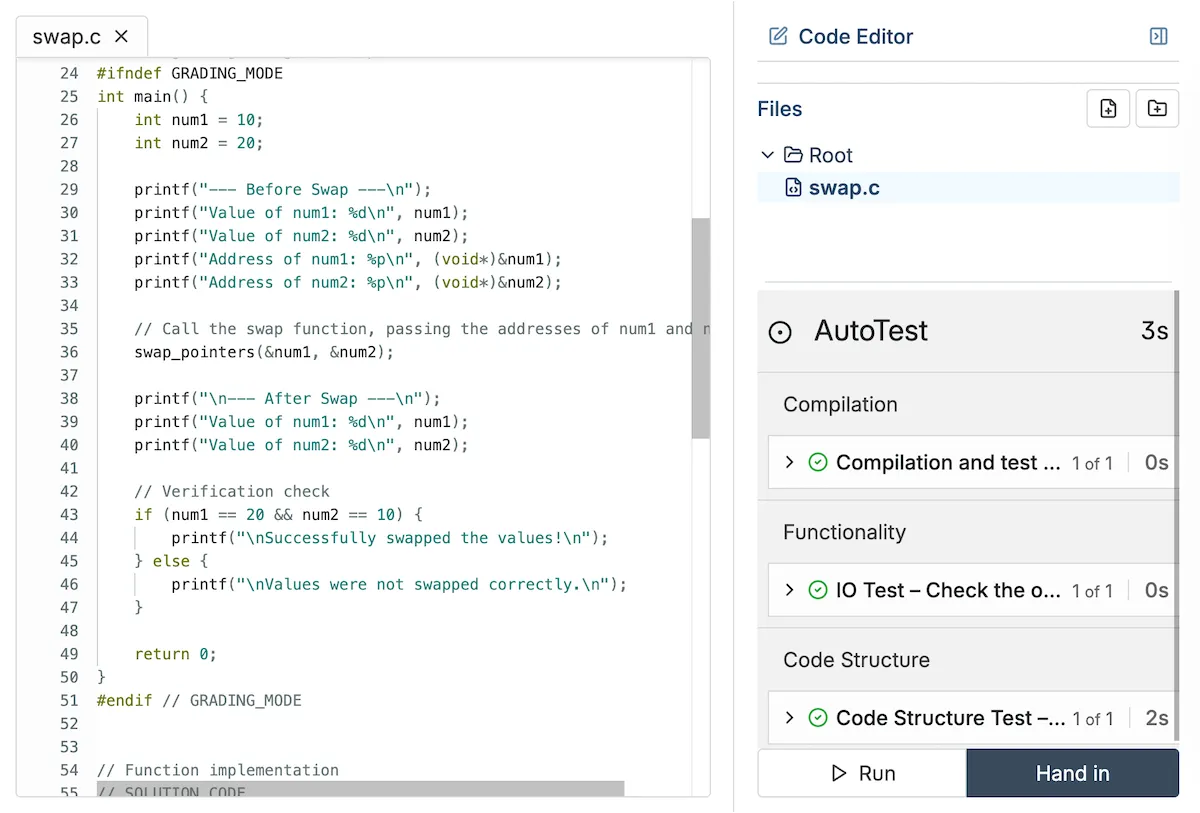
Code writing questions run in the same full Ubuntu environment as your regular assignments. Anything you can test in an assignment, you can test in a quiz.

  • Same block-based editor you use for assignments
  • Full Ubuntu environment for code questions, supports 175+ languages
  • Set up a quiz in minutes, not hours

3. From intro Python checkpoints to advanced systems challenges

Teaching intro Python? Create a quick multiple-choice quiz to check if students understand loops. Running an advanced systems course? Build code-writing challenges that compile and run against your test cases in a full Ubuntu environment.

Quizzes sit alongside full programming assignments in the same course, so you can mix low-stakes practice with summative grading however you want.
  • Works for any CS course, from intro to advanced
  • Mix quizzes with full programming assignments in a single course
  • Free for courses up to 50 students. No trial, no expiration.
Student writing C code in CodeGrade's online editor with quiz feedback panel.

Give students a place to write, run, and practice code.

Browser-based editor, Jupyter Notebooks, and auto-graded quizzes. All inside your LMS, nothing to install.


Discover how institutions use CodeGrade to improve their coding courses

Leslie Hendrix

Clinical Professor in Management Science

"Coding is like learning a sport. You have to practice repeatedly to improve."

Jamie Andrews

Director of Graduate Programs

I can see the student submissions and slowly watch their scores creep up, which is incredibly rewarding!

Angela Venable

Assistant Professor, Ivy Tech Community college

“I also find students get more engaged when they get quicker feedback.”

Frequently Asked Questions

More features

Circular gear with a checkmark, representing automated code grading.
The most powerful autograder
Grade code automatically across 175+ languages. Start free.
> Learn more
Two assignments, Two peoTwo assignments  indicating programming community interaction.
100+ assignments, ready to grade
Browse the community library for pre-built assignments with autograding already configured. Import one, customize it, and your students can start coding today.
> Learn more
Computer screen with code, symbolizing Integrated Development Environment for programming.
A code editor that lives where students already work
Students click an assignment in Canvas, Blackboard, or Moodle and start writing code immediately. Nothing to install, nothing to configure.
> Learn more

Get started today and unlock the power of CodeGrade.