Jupyter Notebooks in Your LMS

You don't have to give up notebooks to get real grading. Assign, auto-grade, and review Jupyter Notebooks without leaving your LMS.
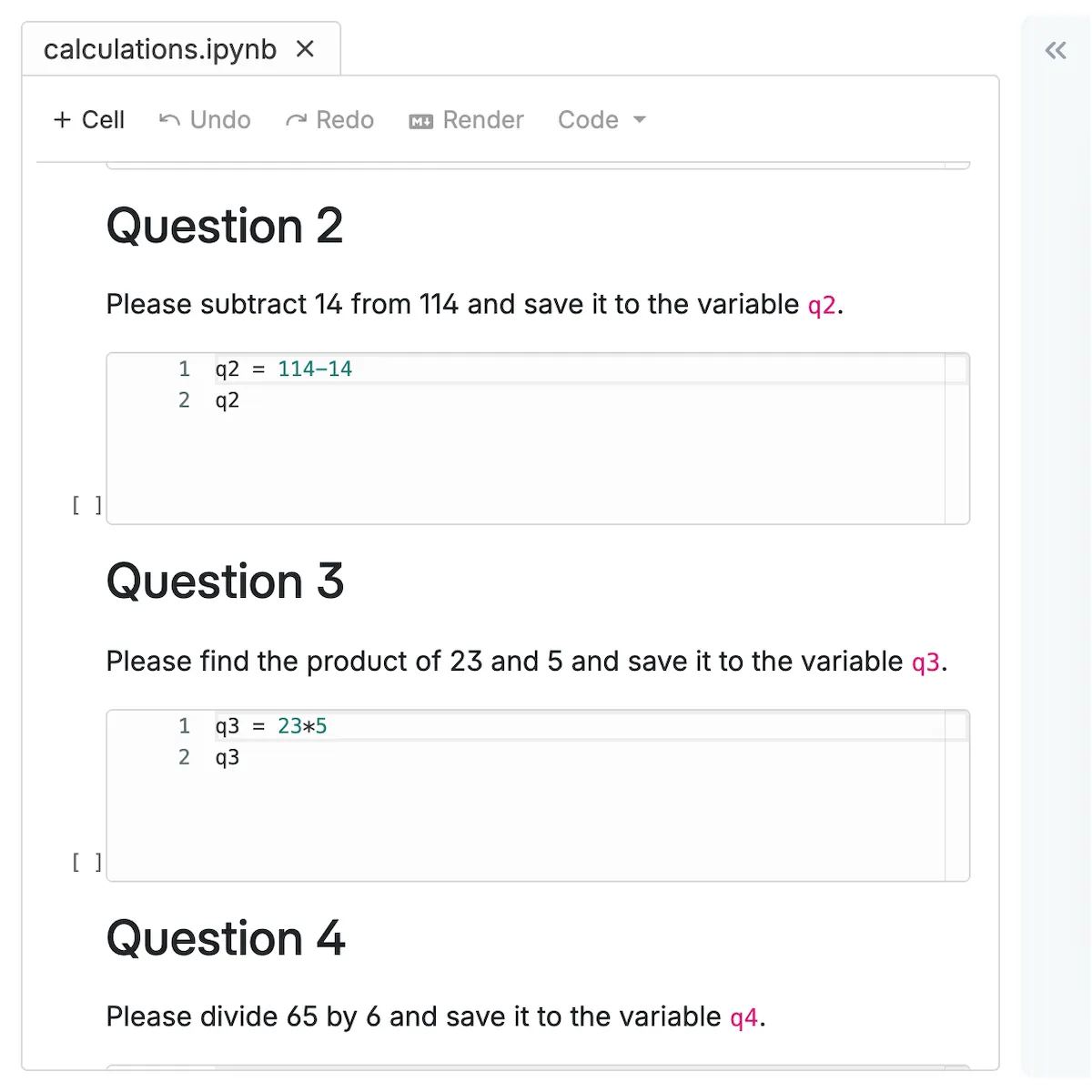
CodeGrade's online IDE for Jupyter Notebooks displaying multiple coding questions for an assignment.

1. A notebook editor built for the classroom

Students open and edit Jupyter Notebooks directly inside Canvas, Blackboard, or Moodle. No extra logins, no file downloads, no JupyterHub VMs to maintain. CodeGrade's notebook editor is a custom-built, lightweight frontend that loads fast and is fully WCAG compliant, so every student can use it.
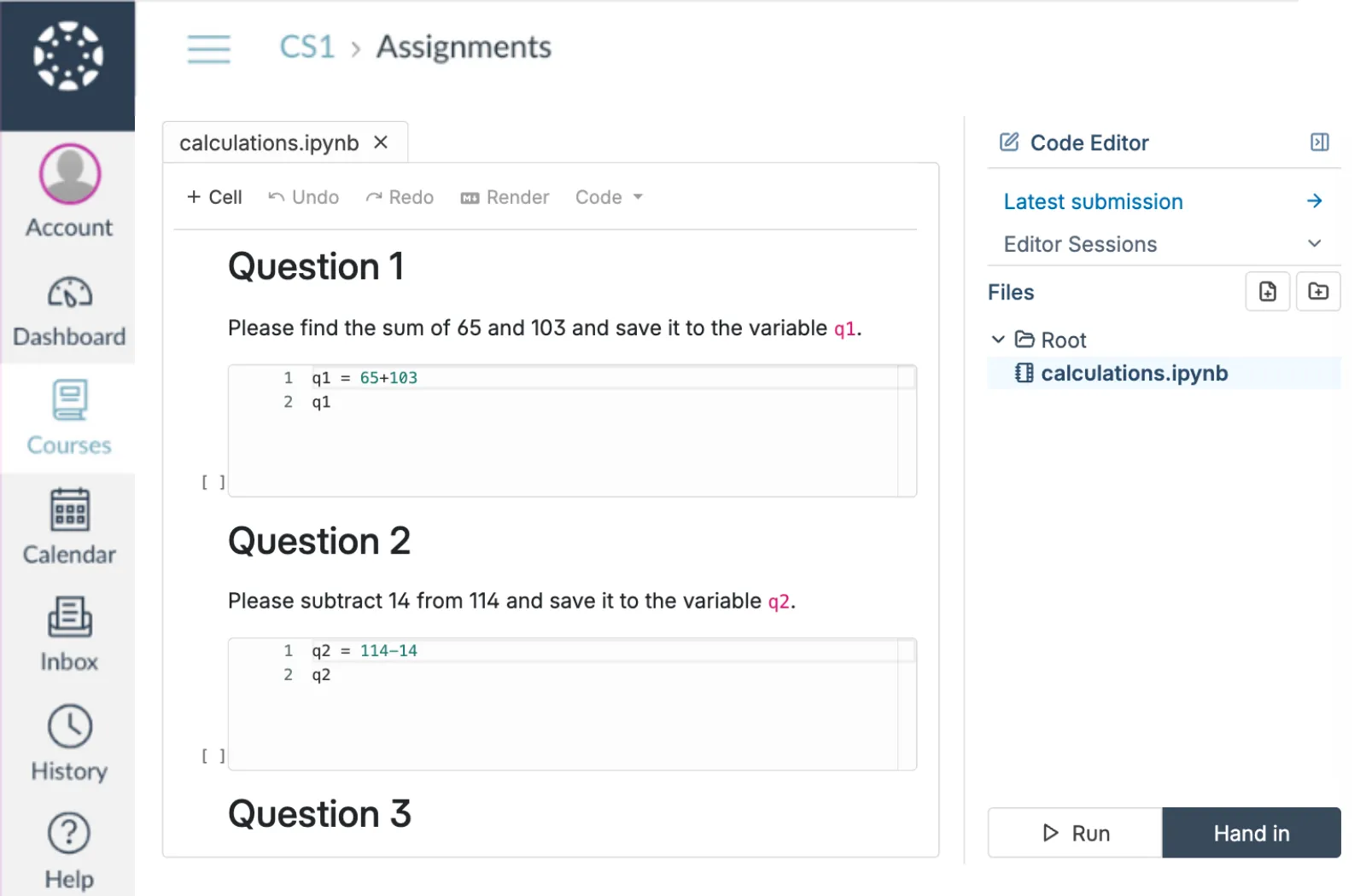
  • Students launch notebooks in one click from your LMS assignment page
  • Full notebook environment with pandas, NumPy, matplotlib, and any library your course needs
  • WCAG-compliant editor built for accessibility, not bolted on after the fact
CodeGrade's online IDE showing a Jupyter Notebook with calculation questions, awaiting student input.
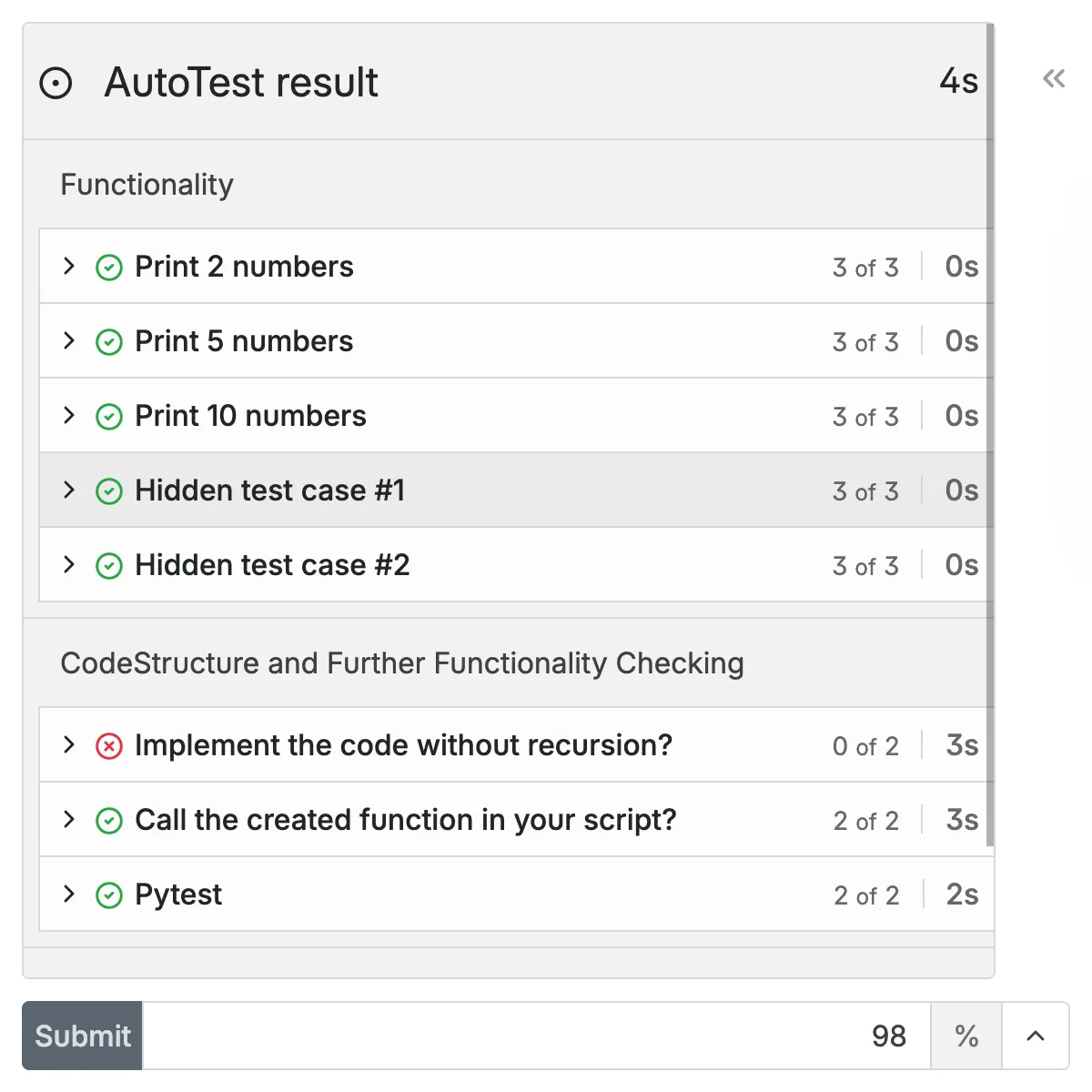
CodeGrade Jupyter Notebook editor with integrated AutoTest results display.

2. Auto-grade notebooks cell by cell

Set up grading tests for individual cells using CodeGrade's drag-and-drop editor. Write simple Python to check outputs, validate plots, or run unit tests on specific functions. Students see per-cell results the moment they submit, so they know exactly which cell passed and which needs work.

  • Test individual cells independently. A broken cell 5 doesn't block feedback on cells 1 through 4.
  • Build tests visually with the block-based editor, or write your own Python scripts
  • Like nbgrader's grading model, without the config files and command-line setup

3. Give feedback on the exact cell that needs it

Leave inline comments directly on code cells, markdown sections, or outputs. No more referencing line numbers in a separate document. When you can't review every submission yourself, CodeGrade's AI assistant gives students context-aware hints without giving away the answer.

  • Comment on the specific cell where the issue is. Students see your feedback right where they need it.
  • AI assistant helps students debug errors and understand concepts between office hours
  • Rubric-based grading keeps feedback consistent across your entire teaching team
Instructor giving targeted inline feedback on a specific code cell in a student's Jupyter Notebook submission.

Give students a place to write, run, and practice code.

Browser-based editor, Jupyter Notebooks, and auto-graded quizzes. All inside your LMS, nothing to install.

Discover how institutions use CodeGrade to improve their coding courses

Leslie Hendrix

Clinical Professor in Management Science

"Coding is like learning a sport. You have to practice repeatedly to improve."

Edward Hartono

Assistant Professor of Management Information Systems

“I believe that the best way to learn programming is by just doing it. And so, we give them unlimited attempts to complete assignments.”

Carey Baldwin

Lecturer at the University of Massachusetts, Amherst in the Isenberg School of Management.

"I really appreciate the partnership that I have with CodeGrade, they help solve every problem!"

Frequently Asked Questions

More features

Computer screen with code, symbolizing Integrated Development Environment for programming.
A code editor that lives where students already work
Students click an assignment in Canvas, Blackboard, or Moodle and start writing code immediately. Nothing to install, nothing to configure.
> Learn more
Puzzle pieces interlocking, indicating code integration in programming projects.
CodeGrade lives inside your LMS
Native integration with Canvas, Blackboard, Moodle, and Brightspace. Students open an assignment and start coding. Grades sync back automatically.
> Learn more
Circular gear with a checkmark, representing automated code grading.
The most powerful autograder
Grade code automatically across 175+ languages. Start free.
> Learn more

Get started today and unlock the power of CodeGrade.